Learn Omron Robot & Cobot Programming Fundamentals Online
Omron’s TM-series cobots are programmed in TMflow (a flowchart environment, with TMscript underneath), while its Adept SCARA and delta robots run in ACE software using the V+ / eV+ language, often tied into a Sysmac NJ/NX PLC. Before you wrestle with any of those vendor-specific tools, master the universal fundamentals — frames, the tool centre point, joint vs linear motion, I/O, pick-and-place, payload, and safety — hands-on in a free browser simulator. These concepts carry straight onto an Omron TM pendant or an ACE workstation.
Honest note: this is not an Omron emulator and it does not run TMflow or Sysmac Studio. It teaches the transferable robot-programming fundamentals using real URScript on a UR-style arm.
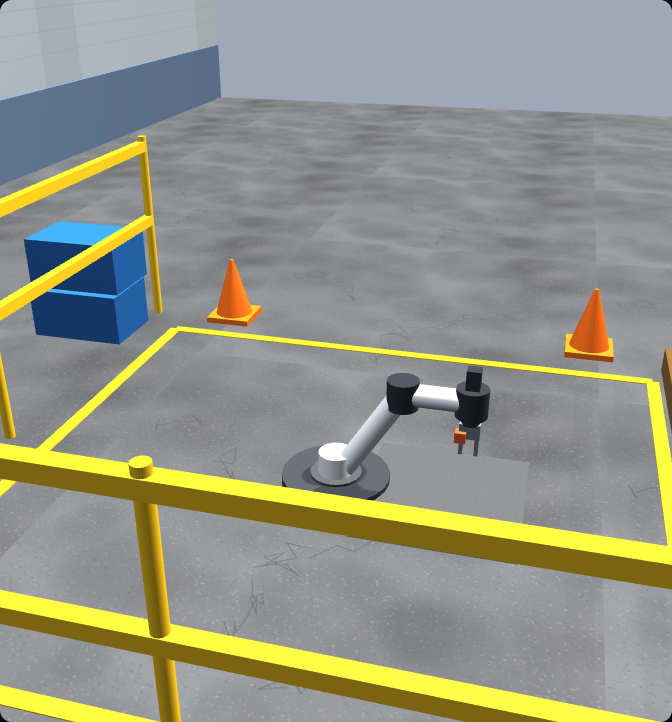
The Omron stack
How Omron robots are actually programmed
Omron’s robotics range — much of it inherited from its 2015 acquisition of Adept Technology — spans collaborative cobots, SCARA arms, delta (parallel) robots, and six-axis arms, and the programming workflow differs by family. Knowing what each tool does — and what it expects you to already understand — tells you exactly where to start.
TMflow & TMscript for TM-series cobots
Omron’s TM-series collaborative robots (originally from Techman Robot) are programmed in TMflow — a flowchart, block-based graphical environment. You build the program by dragging and connecting nodes for moves, I/O, vision, conditions and loops, and you teach positions by hand-guiding the arm and recording waypoints on the pendant. For advanced logic there is TMscript, the underlying scripting language. TMflow is designed to make cobot programming approachable without writing traditional code.
ACE software & the V+ / eV+ language
Omron’s industrial Adept robots — the Cobra and i4 SCARA arms, the Hornet and Quattro/iX4 delta robots, and Viper six-axis arms — are programmed in ACE (Automation Control Environment), Omron’s wizard-based robot software with integrated vision and feeding. Underneath, motion logic is written in V+ (and the newer eV+), the language that descends from Adept’s VAL/VAL-II lineage. ACE is where serious industrial Omron robot work happens.
Sysmac Studio & NJ/NX PLC integration
Omron increasingly ties robots into the Sysmac platform: you handle machine logic, motion, and safety in Sysmac Studio on an NJ/NX machine controller, and a TM cobot or Adept robot exchanges data with the PLC (often over EtherNet/IP or a TCP socket). The robot lives inside the same automation cell as the rest of the line rather than on an island controller.
Robot families: cobot, SCARA, delta & six-axis
Omron makes more than one kind of robot, and the type shapes the program. SCARA arms (Cobra, i4) excel at fast, rigid horizontal pick-and-place; delta robots (Hornet, Quattro) are built for very high-speed picking; Viper six-axis arms reach in full 3D; TM cobots trade outright speed for the ability to work safely next to people. The fundamentals — frames, motion, payload, I/O — apply to all of them, but the motion strategy and safety model change with the mechanism.
The four Omron robot geometries — and the kinematics behind each
Each Omron family has a distinct mechanism. The simulator teaches the motion thinking each one needs; the geometry is what your program has to respect.
What transfers
The fundamentals that carry onto an Omron arm
TMflow and Sysmac Studio are vendor-specific, but the concepts beneath them are not. Every articulated cobot, SCARA, or delta robot — Omron, Universal Robots, FANUC, ABB — is driven by the same handful of ideas. Our browser simulator teaches each one hands-on using real URScript, so you build the mental model first and learn Omron’s interface second.
Frames & coordinate systems
World, base, user, and tool frames decide where the robot thinks it is. The names differ by platform; the idea is identical everywhere.
Tool Centre Point (TCP)
Define the working point of your gripper or tool so the robot moves the right spot to the right place. Get the TCP wrong and every position is off.
Joint vs linear motion
Joint moves are fast through joint space; linear moves keep the tool on a straight Cartesian line. Knowing when to use each is core to TMflow, Sysmac, and every brand.
Waypoints & sequencing
Approach, act, retract: chaining points into a smooth, safe path is the same skill whether you teach them in TMflow or write them in code.
Digital I/O & grippers
Reading inputs and setting outputs to drive a gripper or signal a PLC is universal — only the node or instruction names change.
Payload, reach & collision safety
Configure payload, respect reach limits, and avoid collisions and over-force contact. On cobots like Omron’s TM series this becomes force-limited collaborative safety.
Concept mapping
What you learn here vs what it’s called on Omron
You program in real URScript in the simulator. Here is how each concept maps to the Omron world so you can see the bridge clearly. The interface differs; the thinking is the same.
| Learned here (URScript / UR-style) | TM cobot (TMflow / TMscript) | Adept industrial (ACE / V+) |
|---|---|---|
| movej — joint move | PTP / joint move node | MOVE (joint-interpolated) |
| movel — linear move | Line / linear move node | MOVES (straight-line) |
| Tool centre point (set_tcp) | TCP / tool setup on the pendant | TOOL transform in V+ / ACE |
| Base / feature frames | Base & user coordinate setup | Frame / location variables |
| Digital I/O (set_digital_out) | I/O node (or Sysmac variable) | SIGNAL / SIG.INS in V+ |
| Payload configuration | Payload / end-effector mass | PAYLOAD setting in ACE |
| Protective stop / force limits | TM collaborative force & speed limits | Hard / soft envelope & e-stop |
Note: this mapping shows conceptual equivalence to help you transfer skills — V+/eV+ keyword names vary by version, so treat them as a guide. The simulator does not generate or run TMflow, TMscript, ACE, V+, or Sysmac Studio programs — for that, you would use Omron’s own tools or a real TM pendant.
Where to start
Omron-specific tools vs learning the fundamentals first
You can jump straight into Omron’s ecosystem — but if you have never programmed a robot, the tools assume knowledge you do not have yet, and the hardware and setup get in the way of practising. The faster path is to build the fundamentals where they are free and frictionless, then layer Omron’s interface on top.
Jumping straight to Omron tools
TMflow runs on a real TM cobot and pendant; Sysmac Studio assumes an NJ/NX controller and a SCARA or delta robot. Both are powerful, but they assume you already understand frames, TCP, and motion types — so beginners spend their energy fighting the interface instead of learning to think like a robot programmer.
Fundamentals first, in the browser
Open a tab, write real URScript on a UR-style arm, and practise the exact concepts Omron relies on — for free, with graded tasks. When you reach a TM pendant or Sysmac Studio, you are learning new interface, not a new way of thinking.
A practical roadmap to Omron programming
- 1Build the fundamentals here: frames, TCP, joint vs linear motion, waypoints, I/O, payload, and collision/safety — graded, in the browser.
- 2Program a full pick-and-place cycle in URScript so the end-to-end workflow (approach, grasp, traverse, place, release) is second nature.
- 3Read up on TMflow: how flowchart nodes, hand-guided waypoints, and I/O are built up for the TM-series cobots.
- 4Re-create a simple pick-and-place in TMflow on a TM cobot (or in Sysmac Studio for a SCARA/delta) — now you are only learning Omron’s interface.
- 5Add Omron’s integrated vision and collaborative safety (TM force and speed limits) once the basics are fluent.
Cobots & safety
Omron TM cobots and collaborative safety
Omron’s TM series are collaborative robots built to operate near people without a traditional safety cage. They support easier setup methods — including hand-guidance and the TMflow flowchart interface — alongside integrated vision. That lower barrier makes cobots a common entry point into robot programming.
But collaborative does not mean consequence-free. Whatever the brand, cobot safety comes down to force and speed limits, protective stops on unexpected contact, payload that is configured correctly, and a program that avoids collisions in the first place. Our simulator teaches exactly that: tasks are graded not just on placing the part, but on staying within a force limit and avoiding over-force contact — the same discipline an Omron TM cobot (or any cobot) demands.
In the simulator
From first jog to a graded pick-and-place cell
You do not just watch — you write real URScript, run it on a simulated six-axis arm under physics, and get graded against a real goal. Every skill here is a fundamental Omron programmers rely on too.
Jogging & frames
Move the arm in joint and Cartesian space; understand base vs tool frames and how the TCP is defined.
Joint vs linear moves
movej vs movel — when each is right, and how speed and acceleration change the motion (the PTP vs line distinction in TMflow).
Digital I/O & gripper
Read and set digital signals; open and close a gripper to actually pick something up.
Pick-and-place A→B
Approach, grasp, lift, traverse, place, release — the backbone of real robot and cobot work.
Payload & TCP
Configure payload and tool centre point and see how they change reach, accuracy, and safe speed.
Collision & force-limited safety
Trigger and avoid protective stops and over-force contact — the heart of collaborative safety.
Straight answer
Can I actually learn Omron robotics here?
Honestly: you can learn the fundamentals that all Omron robot programming depends on — and that is the hard, transferable part. What you cannot do here is run Omron’s own software. To be completely clear about the line:
What you build here
- • Frames, TCP, and coordinate thinking
- • Joint vs linear motion and when to use each
- • Waypoints and a full graded pick-and-place cycle
- • Digital I/O and gripper control
- • Payload, reach, collision and force-limited safety
- • The mental model behind SCARA, delta, and six-axis arms
What you still do in Omron’s tools
- • Build flowcharts in TMflow / write TMscript
- • Write motion in V+ / eV+ inside ACE software
- • Configure Adept Cobra / i4 / Hornet / Quattro robots
- • Integrate with a Sysmac NJ/NX PLC over EtherNet/IP
- • Set up Omron’s integrated vision and feeding
- • Hand-guide and teach on a real TM pendant
In other words: this is the foundation, not the emulator. Master the fundamentals here for free, then the Omron interface — TMflow, ACE, or Sysmac Studio — becomes a matter of learning where the buttons are, not learning to think like a robot programmer from scratch.
Keep exploring
More robot programming resources
- Robot programming course — the full graded path from first jog to a working pick-and-place cell.
- Learn URScript — the real language you write in the simulator, with the UR workflow our trainer is built around.
- Robot programming languages — how URScript, Omron V+/TMscript, ABB RAPID, FANUC TP and KUKA KRL compare.
- Doosan cobot programming — another collaborative-robot family that shares the same fundamentals as the Omron TM series.
- Yaskawa robot programming — how the same concepts map to Yaskawa Motoman’s INFORM language and pendant.
- ABB robot programming — the same fundamentals applied to ABB’s RAPID language and RobotStudio.
- FANUC robot programming — how the same fundamentals map to FANUC’s TP language and teach pendant.
- KUKA robot programming — the same concepts on KUKA’s KRL and smartPAD.
- Robot arm simulator — practise six-axis arm motion and kinematics in the browser.
- Robot simulator — the home of our browser-based robot programming trainer.
Omron robot programming FAQ
Build the fundamentals Omron programming relies on.
Write real robot code in your browser — frames, TCP, motion, I/O, pick-and-place, and safety. No install, no robot, free to start. Then take those skills to an Omron TM pendant or Sysmac Studio.