A free, browser-based RoboGuide alternative for learning robot programming
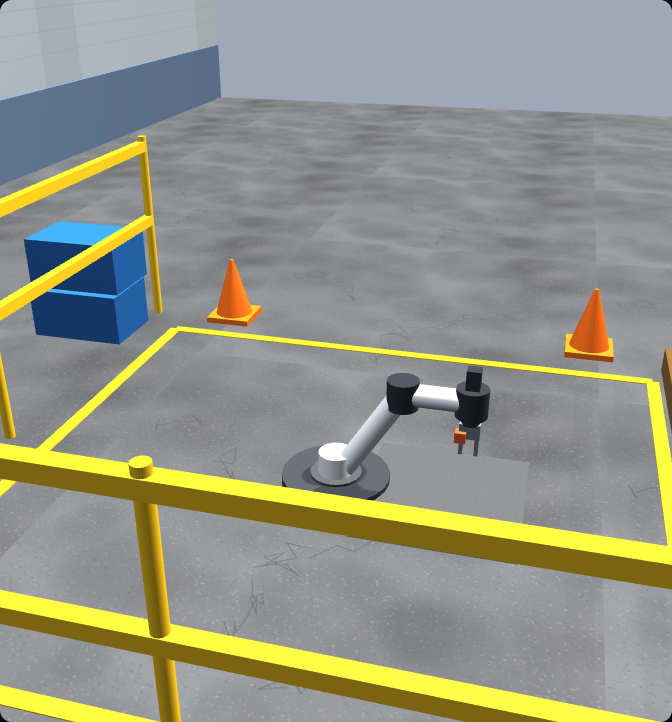
RoboGuide is FANUC’s professional offline-programming and simulation software for FANUC robots. If what you actually need is to learn robot-programming fundamentals — frames, the tool centre point, joint vs linear motion, I/O, pick-and-place, payload, and safety — you can do that for free, with no install, right in your browser. We teach those universal skills with real URScript on a UR-style arm, and they carry straight over to FANUC.
Honest note: this is not a FANUC virtual controller and it does not run FANUC TP, KAREL, or RoboGuide. It is a learning simulator that teaches transferable robot-programming fundamentals using real URScript.
First, the facts
What RoboGuide actually is
Let’s be fair to it, because it is a genuinely good tool. RoboGuide is FANUC’s official offline-programming and simulation software. It runs on a Windows PC, builds an accurate 3D model of your FANUC robot and work cell, and lets you write and test programs — including realistic cycle-time estimation — without tying up the physical machine. For teams running FANUC robots, it is the standard way to design, validate, and optimise a cell before deployment.
FANUC-specific offline programming
RoboGuide is built around FANUC’s own robot controller. It lets you create and test TP (Teach Pendant) programs offline, against a virtual FANUC controller, so the behaviour closely matches the real robot.
Accurate 3D cells and cycle time
You model the robot, tooling, fixtures, and surroundings in 3D, then run the program to validate reach, detect collisions, and get realistic cycle-time estimates — the kind of fidelity production engineering needs.
A professional production tool
RoboGuide is licensed software aimed at integrators, manufacturers, and serious FANUC users. It is the right tool when the work is specifically about FANUC robots in production — and we would not pretend otherwise.
Honest fit
Who should use RoboGuide, and who we’re for
These are different tools for different jobs. The fastest way to pick is to be honest about where you are.
Use FANUC RoboGuide if…
- • You work with FANUC robots and need true FANUC offline programming.
- • You must validate a specific FANUC cell — reach, collisions, cycle time — before deployment.
- • You need TP / KAREL programs that run on a virtual FANUC controller.
- • You are an integrator or manufacturer with FANUC hardware in production.
Use our simulator if…
- • You are learning robot programming and want to start today, for free.
- • You want zero install — just a browser tab, on any computer.
- • You want guided, auto-graded lessons that teach the universal fundamentals.
- • You want a foundation that transfers to FANUC (and ABB, KUKA, UR) before committing to a brand-specific desktop tool.
Plenty of people will use both: learn the fundamentals here for free, then move to RoboGuide for the FANUC-specific production work. They are complements, not enemies.
Fair comparison
RoboGuide vs our browser simulator
A side-by-side on the things that usually decide which one fits. This is about scope and purpose — not better or worse.
| FANUC RoboGuide | Our simulator | |
|---|---|---|
| Runs | Desktop app (Windows PC) | In the browser, no install |
| Cost to start | Licensed FANUC software | Free to start |
| Primary purpose | FANUC offline programming & cell validation | Learning robot-programming fundamentals |
| Robot scope | FANUC robots (virtual FANUC controller) | Universal fundamentals on a UR-style six-axis arm |
| Programming language | FANUC TP / KAREL | Real URScript (UR-style) |
| Cycle-time accuracy | Production-grade for FANUC cells | Not a production cycle-time tool |
| Guided lessons & grading | Engineering tool, not a course | Auto-graded lessons + certificate |
| Best for | Integrators & FANUC production work | Beginners and learners building a foundation |
Note: our simulator is a learning environment. It does not generate or run FANUC TP or KAREL code and is not a FANUC virtual controller — for FANUC offline programming you would use RoboGuide.
What transfers
The fundamentals you build here carry onto FANUC
RoboGuide’s TP and KAREL are FANUC-specific, but the concepts beneath every six-axis arm are not. Our simulator teaches each one hands-on with real URScript, so you build the mental model first and pick up FANUC’s syntax second.
Frames & coordinate systems
World, base, user, and tool frames decide where the robot thinks it is. FANUC calls them user frames and tool frames; the idea is identical everywhere.
Tool Centre Point (TCP)
Define the working point of your gripper or tool so the robot moves the right spot to the right place. Get the TCP wrong and every position is off.
Joint vs linear motion
Joint moves are fast through joint space; linear moves keep the tool on a straight Cartesian line. FANUC calls these J and L; the decision of which to use is the same on every brand.
Waypoints & sequencing
Approach, act, retract: chaining points into a smooth, safe path is the same skill on any controller, RoboGuide included.
Digital I/O & grippers
Reading inputs and setting outputs to drive a gripper or signal a PLC is universal — only the instruction names change.
Payload, reach & safety
Configure payload, respect reach limits, and avoid collisions and over-force contact — the same discipline RoboGuide validates for FANUC cells.
Our honest recommendation
Where to start, and when to switch
If you are new to robot programming, don’t start by wrestling a licensed desktop tool. Start where it is free and frictionless: open a browser tab, write real URScript on a UR-style arm, and complete graded lessons until frames, TCP, motion types, I/O, pick-and-place, payload, and safety are second nature. That foundation is the hard part, and it is the same for every brand.
When your work becomes specifically about FANUC — a real FANUC cell to validate, FANUC offline programs to write, a cycle time to verify — that is exactly when RoboGuide earns its place. Use it then, on top of fundamentals you already understand, and it will feel like learning an interface rather than learning to think like a robot programmer from scratch.
Keep exploring
More robot programming resources
- Robot programming course — the full graded path from first jog to a working pick-and-place cell.
- FANUC robot programming — how TP, KAREL, and RoboGuide fit together, and the fundamentals that come first.
- Robot arm simulator — practise six-axis arm motion and kinematics in the browser.
- Universal Robots programming — learn URScript and the UR workflow our simulator is built around.
- Robot simulator — the home of our browser-based robot programming trainer.
RoboGuide alternative FAQ
Learn robot programming free, in your browser.
Write real robot code — frames, TCP, motion, I/O, pick-and-place, and safety — with no install and nothing to license. Build the foundation first; reach for RoboGuide when the work turns FANUC-specific.