A free, browser-based RoboDK alternative for learning robot programming
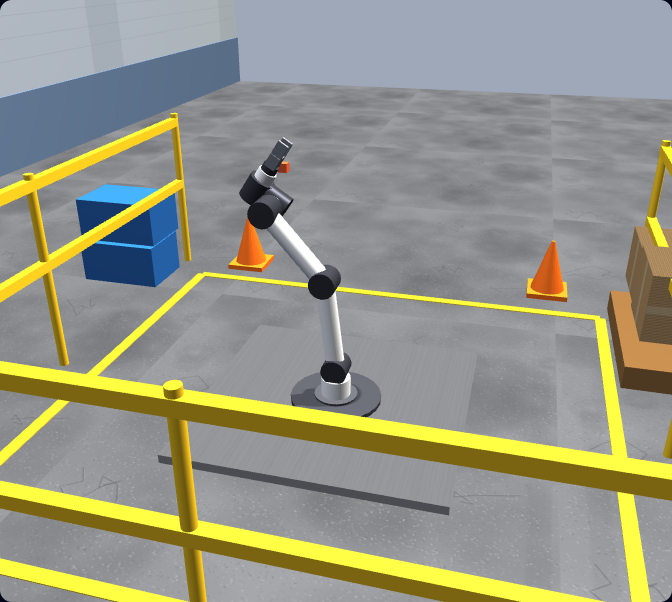
RoboDK is a powerful paid desktop tool for offline programming and simulation across many robot brands — built to generate real production programs. If what you actually need first is to learn robot programming, this is a free, zero-install browser simulator that teaches the fundamentals hands-on with real URScript, auto-graded lessons, and a certificate. Here is an honest look at which one fits you.
Honest note: this is not a replacement for RoboDK’s production offline programming. It does not do multi-brand OLP or generate real robot programs via post-processors. It is the free place to learn the fundamentals first.
Opening honesty
We make one of the tools being compared.
We have tried to be fair to RoboDK — read the RoboDK side below before you form an opinion. In one sentence: RoboDK is the better tool if you need professional, multi-brand offline programming and real production code generation. Ours is the better tool if you want to learn the fundamentals of robot programming right now, on any device, for free, before you spend money on a production suite. They are complementary, not interchangeable.
Background
What RoboDK actually is
RoboDK is a commercial desktop application for offline programming (OLP) and simulation of industrial robots. You build a 3D model of your robot and work cell, plan motions and targets, simulate the program, and then generate the actual robot program that runs on real hardware. It supports a large library of robot brands and uses post-processors to translate a simulated program into each brand’s native code.
It is a professional production tool: integrators and manufacturers use it to design cells, validate reach and reachability, optimise paths, and program tasks like machining, welding, palletising, and pick-and-place without tying up the real robot. It runs on Windows, macOS, and Linux, and it is licensed software with a trial available. For current pricing and trial terms, check RoboDK’s own website — we do not quote competitor pricing here because it changes.
In short: RoboDK is excellent at what it is built for — multi-brand offline programming and generating real, deployable robot programs. That is exactly the part our simulator does not try to do.
Who each is for
Two different jobs
The honest way to choose between these tools is to be clear about what you are trying to do. RoboDK is built to produce programs that run on real robots. We are built to teach you the thinking those programs rely on — before you ever touch a production tool or real hardware.
RoboDK is for you if…
- You need to generate real programs for real robots.
- You work across multiple robot brands and need post-processors.
- You are designing or validating an actual work cell.
- You are doing production tasks: machining, welding, palletising, deburring.
- You already understand robot-programming fundamentals.
- You are an integrator or manufacturer shipping to hardware.
Our simulator is for you if…
- You are learning robot programming from the ground up.
- You want to start for free, today, with no install.
- You are on a Mac, Linux machine, Chromebook, or locked-down laptop.
- You want guided, auto-graded lessons rather than a blank canvas.
- You want to write real URScript and see it run under physics.
- You want a certificate to show you have learned the fundamentals.
Fair comparison
RoboDK vs this browser simulator
This table compares the two on the dimensions that matter when you are choosing where to start. Note the focus difference: RoboDK is a production offline-programming suite; we are a learning environment. The right answer depends entirely on which job you are doing.
| Dimension | RoboDK | This simulator |
|---|---|---|
| Primary focus | Production offline programming & simulation | Learning robot-programming fundamentals |
| Install | Desktop app (Windows, macOS, Linux) | Runs in any modern browser — nothing to install |
| Price to start | Paid licence (trial available) | Free to start; Pro subscription for the full course |
| Robot brands | Large multi-brand library | UR-style six-axis arm with real URScript |
| Generates real robot programs | Yes — via post-processors | No — it is for learning, not production code |
| Guided curriculum | Professional tool, not a course | Guided, auto-graded lessons |
| Auto-graded feedback | You validate in simulation yourself | Yes — tasks are scored against a goal |
| Certificate | No | Yes (Pro) |
| Best for | Integrators shipping to hardware | Beginners and learners building the basics |
To be clear: we do not claim feature parity with RoboDK’s production capabilities. RoboDK does multi-brand offline programming and real code generation that this simulator deliberately does not attempt.
In the simulator
The fundamentals you build here — for free
These are the concepts every robot programmer relies on, whatever tool or brand they end up using. You do not just read about them — you write real URScript, run it on a simulated six-axis arm under physics, and get graded against a goal.
Frames & coordinate systems
World, base, and tool frames decide where the robot thinks it is — the foundation every OLP tool, RoboDK included, builds on.
Tool Centre Point (TCP)
Define the working point of your gripper or tool so the robot moves the right spot to the right place.
Joint vs linear motion
movej moves fast through joint space; movel keeps the tool on a straight Cartesian line. Knowing when to use each is core everywhere.
Waypoints & sequencing
Approach, act, retract — chaining points into a smooth, safe path is the same skill on any controller.
Digital I/O & grippers
Read inputs and set outputs to drive a gripper or signal a PLC — universal, only the instruction names change.
Payload, reach & safety
Configure payload, respect reach limits, and avoid collisions and over-force contact — the discipline production tools assume you have.
Honest recommendation
Use RoboDK for production. Use us to learn first.
If you need to generate real programs for real robots across multiple brands, you want a production offline-programming tool — RoboDK is a strong, professional choice and we are not pretending to replace it. But if you are still learning, paying for and wrestling with a production suite before you understand frames, TCP, motion types, and safety is the slow way round.
The faster path is to build the fundamentals where they are free and frictionless — in the browser, with guided, auto-graded lessons — and then move to a tool like RoboDK once those basics are second nature. When you do, you will be learning RoboDK’s interface, not learning to think like a robot programmer from scratch.
Need production OLP today?
If you are an integrator shipping to real, multi-brand hardware, a production tool like RoboDK is the right home for that work. Learn the fundamentals here first and it will go much faster.
Learning the basics?
Open a tab, write real URScript on a UR-style arm, and practise the exact concepts every OLP tool relies on — for free, with graded tasks, and a certificate when you finish.
Keep exploring
More robot programming resources
- Robot programming course — the full graded path from first jog to a working pick-and-place cell.
- Robot arm simulator — practise six-axis arm motion and kinematics in the browser.
- Universal Robots simulator — run a UR-style arm and see your URScript drive it.
- Universal Robots programming — learn URScript and the UR workflow our simulator is built around.
- Robot simulator — the home of our browser-based robot programming trainer.
RoboDK alternative FAQ
Learn the fundamentals first — free, in your browser.
Write real robot code in a tab — frames, TCP, motion, I/O, pick-and-place, and safety. No install, no robot, free to start. Then take those skills to a production tool like RoboDK.