How to Read Ladder Logic (Step by Step for Beginners)
How to Read Ladder Logic (Step by Step for Beginners)

Opening a ladder logic program for the first time is disorienting. The graphical layout looks like something between an electrical schematic and a flowchart, and none of the symbols are labelled obviously.
Ladder logic reads left to right and top to bottom. Each horizontal row is called a rung. You read a rung by tracing a path from the left rail to the right rail: if all series contacts in the path are true, current (logically) flows through and the coil on the right energises.
Here is how to decode every element.
The Two Vertical Rails
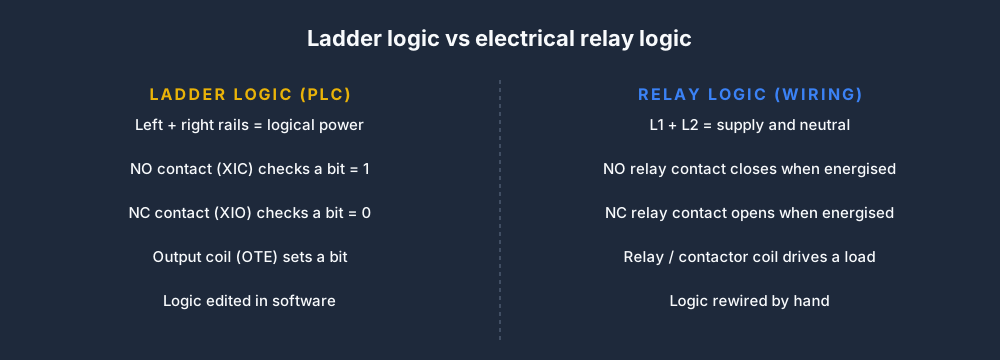
Every ladder program has two vertical lines — left and right. Think of them as the power rails in an electrical circuit. The left rail represents logical power; the right rail is the return. Every rung spans between them.
|                                                    |
|--[   ]--[   ]--[   ]---------------------------( )--|
|                                                    |

The Four Most Common Symbols
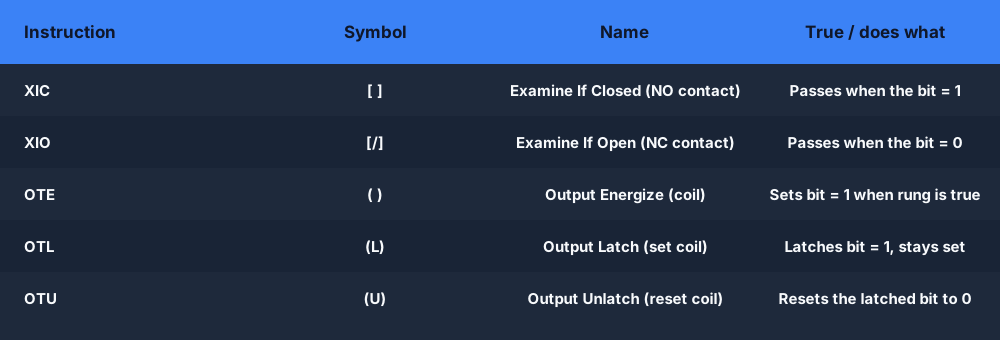
1. Normally-Open (NO) Contact — [ ]
|--[ContactName]--|
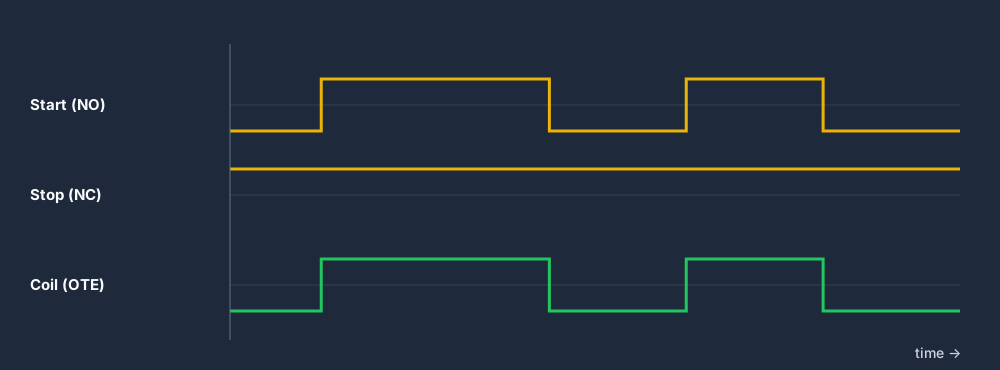
A normally-open contact is true (closed, conducting) when the underlying bit is 1 (TRUE). If the bit is 0, the contact is open and no logic passes through it.
In a physical relay circuit, a NO contact is the switch that closes when the relay coil is energised. In PLC ladder, it simply checks whether the named bit is TRUE.
When to use it: for conditions that must be TRUE for the rung to energise — pushbuttons, sensor inputs, state flags.
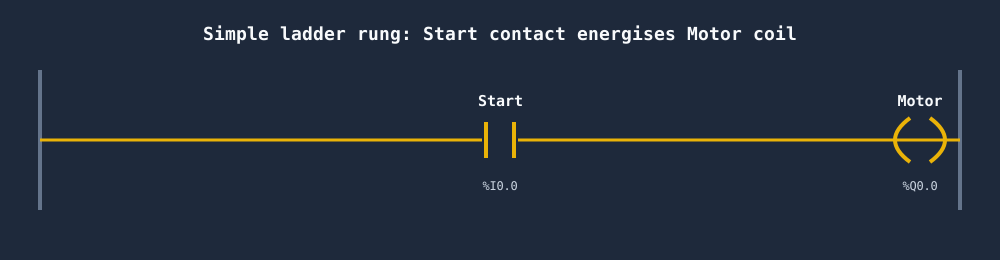
2. Normally-Closed (NC) Contact — [/]
|--[/ContactName]--|
A normally-closed contact is true when the underlying bit is 0 (FALSE). It "passes" when the signal is absent.
In PLC ladder notation, NC contacts are often drawn with a diagonal line or a slash through the symbol to distinguish them from NO contacts.
When to use it: for stop buttons, overloads, safety conditions — things that must NOT be active for the rung to run. This is also why NC contacts are used for safety: a broken wire (which reads as 0) opens an NC contact, which prevents the hazardous output from energising — fail-safe.
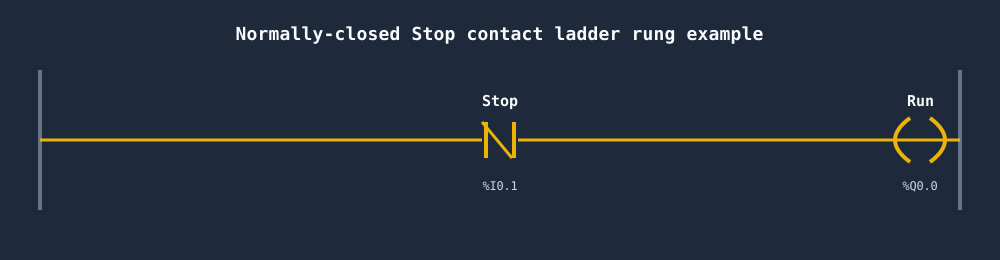
3. Output Coil — ( )
|--...---( CoilName )--|
The coil is always at the right end of a rung. When the rung is true (conditions form a closed path), the coil bit is set to 1. When the rung is false, the coil bit is set to 0.
Coils drive physical outputs (motor contactors, valve solenoids, indicator lights) or internal memory bits used by other rungs.
4. Branch (Parallel Contacts) — OR Logic
|--[ContactA]--+-----( CoilX )--|
               |
               +--[ContactB]--|
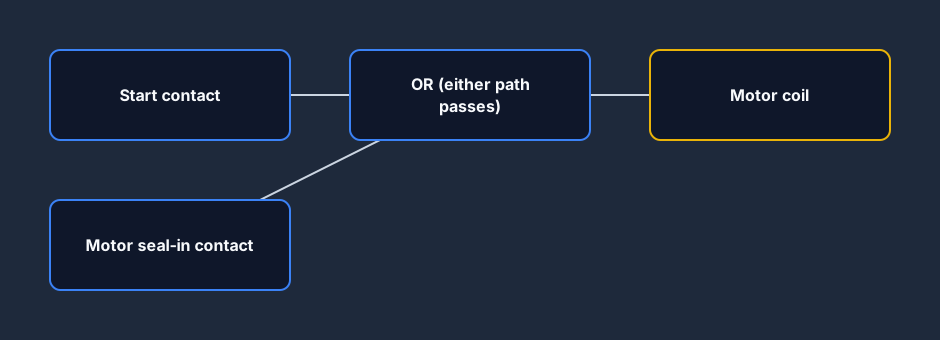
Branches run parallel between two vertical lines on the rung. The parallel structure means: the rung is true if ContactA is true OR ContactB is true.
Reading a Complete Rung
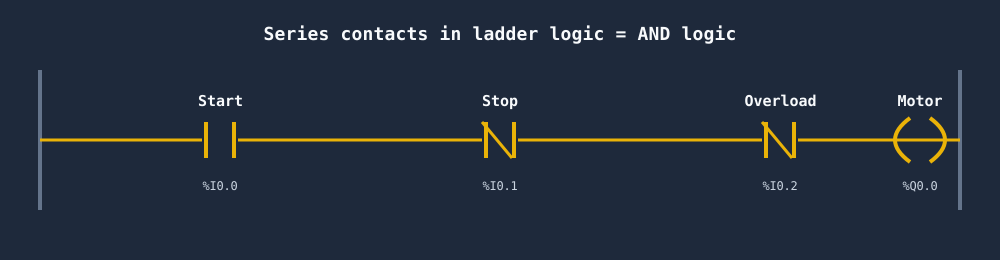
Here is a multi-element rung:
|--[StartPB]--+--[/StopPB]--[/Overload]--( MotorRun )--|
              |
              +--[MotorRun]--+
Reading step by step:
- Left to right on the upper branch: StartPB must be TRUE AND StopPB must be FALSE AND Overload must be FALSE.
- Lower branch (parallel): MotorRun must be TRUE.
- Combined: (StartPB OR MotorRun) AND NOT StopPB AND NOT Overload → MotorRun.
That is the seal-in motor starter you have seen elsewhere. Ladder makes the logic flow visible at a glance.
Timer Function Blocks
A timer is a function block — a rectangular box with inputs on the left and outputs on the right:
|--[Enable]--[TON]--|
             Timer1  |--[Timer1.Q]--( Output )--|
             PT:5000 |
             ET:---  |
- TON — Timer On Delay. The output
Qgoes TRUE after the timer has been enabled forPTmilliseconds. - TOF — Timer Off Delay.
Qstays TRUE forPTms after the enable input drops to false. - TP — Timer Pulse.
Qis true for exactlyPTms from the rising edge of the enable, regardless of input changes.
PT (Preset Time) is the target duration. ET (Elapsed Time) is the accumulator — how long the timer has been running.
To read a timer rung: look at the enable input (left side), the preset, and then find where the timer's output contact (Timer1.Q) is used later in the program.
Counter Function Blocks
|--[CountInput]--[CTU]--|
                Counter1  |--[Counter1.Q]--( Done )--|
                PV: 10    |
                CV: ---   |
- CTU — Count Up. Each rising edge on the count input increments
CV(current value).Qgoes true whenCV >= PV(preset value). - CTD — Count Down. Decrements from PV toward zero.
- CTUD — Count Up/Down. Two inputs, one for up and one for down.
How Scan Order Affects What You Read
Ladder executes top to bottom. A bit set in rung 5 is immediately available in rung 6 during the same scan. But rung 1 has already run — it will not see the change until the next scan.
This means: if you are tracing logic, follow the execution order, not just the visual layout. For a full explanation, see The PLC Scan Cycle Explained.
Step-by-Step: Reading an Unknown Program
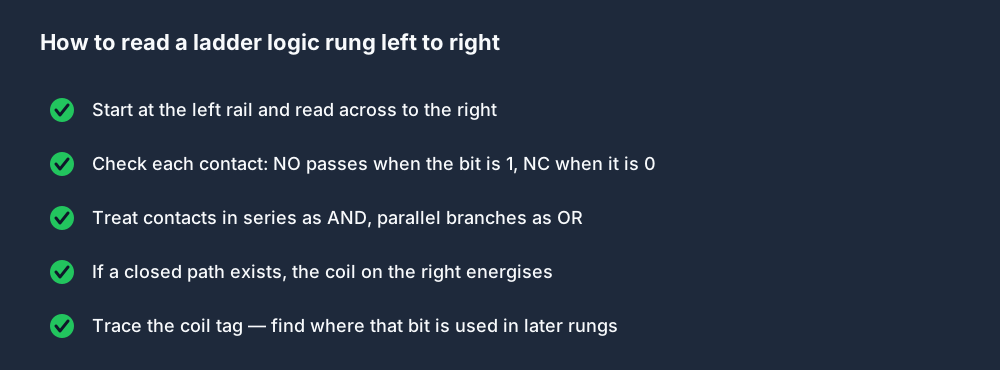
When you open an unfamiliar ladder program, use this approach:
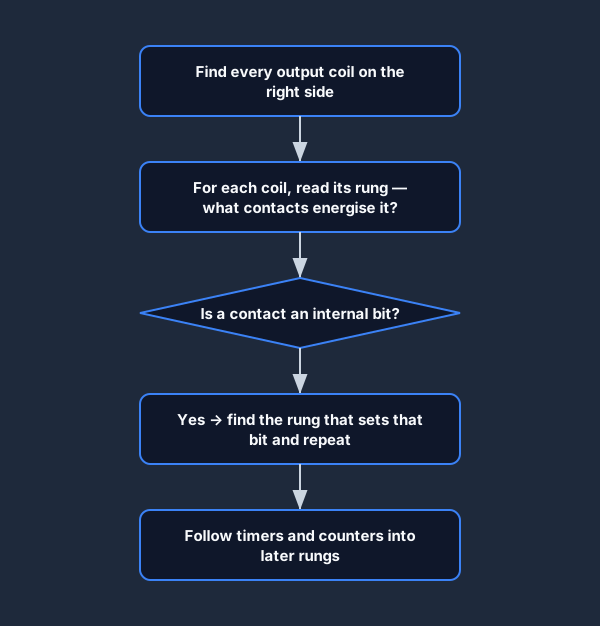
- Find the outputs. Scan the right side of every rung for coils. Write down all the output tag names.
- For each output, read its rung. What conditions (contacts) are needed to energise it?
- Trace internal bits. If a contact on the rung is an internal bit (not a physical I/O), find the rung that sets that bit and repeat.
- Follow function blocks. Timers and counters bridge rungs — the block's output contacts appear later in the program.
- Note the order. Remember that rung order matters for sequencing behaviour.
Common Ladder Symbols Quick Reference
| Symbol | Meaning |
|---|---|
| [Tag] | Normally-open contact — true when Tag=1 |
| [/Tag] | Normally-closed contact — true when Tag=0 |
| (Tag) | Output coil — sets Tag=1 when rung is true |
| (S Tag) / OTL | Set (latch) coil — latches Tag=1 |
| (R Tag) / OTU | Reset (unlatch) coil — sets Tag=0 |
| (TON) | Timer on-delay function block |
| (TOF) | Timer off-delay function block |
| (TP) | Timer pulse function block |
| (CTU) | Count-up counter |
| (OSR) / R_TRIG | One-shot rising edge detection |
| (OSF) / F_TRIG | One-shot falling edge detection |
Practice: From Reading to Writing
The best way to cement ladder reading skills is to write your own programs and then read them back after a break. Start with the Ladder Logic Basics lesson, then tackle the Traffic Light scenario. Once you can write clean ladder for a three-output timer sequence, you will be able to read most industrial programs with confidence.
For deeper language comparison, see Ladder Logic vs Structured Text: Which One to Learn.
Practice this yourself in the simulator — 3 scenarios free. No install. No credit card. Write real ladder logic against a live machine model in your browser.